Buy Groundworx Query Filters
From
$149.00
Requirements
Version 2.1.0
PHP version 7.4 or higher
WordPress version 6.7 or higher
Pricing
Creator
$149.00
1 Domain License
1 Year Updates & support
All Features Included
Perfect for your own site
Freelancer
$399
10 Domains License
1 Year Updates & support
All Features Included
Small Teams & growing agencies
Agency
$699
50 Domains License
1 Year Updates & support
All Features Included
Scale with confidence
Change Log
2.1.0
Improvements
- Consolidated block registration, styles, and interactivity scripts for better performance
- New “Default Order” panel on inherit-mode Query Loop blocks
- Shared Licenses admin page across Groundworx plugins
- REST relevance fallback scoped to post-type endpoints only
Bug Fixes
- Fixed filter-orderby dropdown not closing on radio selection
- Fixed REST orderby fallback breaking taxonomy and user endpoints
2.0.1
Bug Fixes
- Fixed duplicate filter blocks in custom-select dropdowns not showing checked state (namespace scoping issue with Interactivity API)
- Fixed
sURL parameter being removed on manual submit when the search input is empty, breaking search page context - Fixed filter-text clear button auto-submitting when the parent Filters block has autoSubmit disabled
- Fixed WordPress 6.9 Interactivity Router disabling unrelated stylesheets after filter navigation, breaking carousels, backgrounds, and other content outside the query loop
- Fixed
category_nameandtagarray query vars causing warnings in WordPress core functions
Enhancements
- Custom Select Dropdowns: Auto-close on radio selection for Filter Terms, Filter Orderby, Filter Woo Rating, and Filter Woo Stock
- Default Order: New always-visible ToolsPanel on Query Loop block for setting default sort order on inherit-mode queries
- Default Order: Bidirectional sync between Query Loop Default Order panel and Filter Orderby block — changes in either are reflected instantly
- Default Order: Editor preview now reorders posts when the default order is changed
- Global Search: Clicking outside no longer collapses the panel when quick links or search results are visible
- Filter Text: Search clear and submit button colors now inherit form input text color
2.0.0
Settings Page
- New admin settings page under Groundworx menu — all search configuration in one place
- Search Mode toggle: Off (default WordPress search), Suggested Links (standard search with relevance-powered suggestions), or Global (full relevance ranking across global search and Query Loop blocks)
- Post type and taxonomy exclusions with transfer list UI
- Search relevance weights for title, excerpt, taxonomy, and content fields with per-post-type overrides
- Proximity settings: exact phrase boost, nearby words boost with configurable distance, and distant match filtering — all with per-post-type overrides
- Dictionary management with custom words, stems, synonyms, and compound word boost
- Maintenance panel with manual search index rebuild
- License management moved into settings page
Global Search
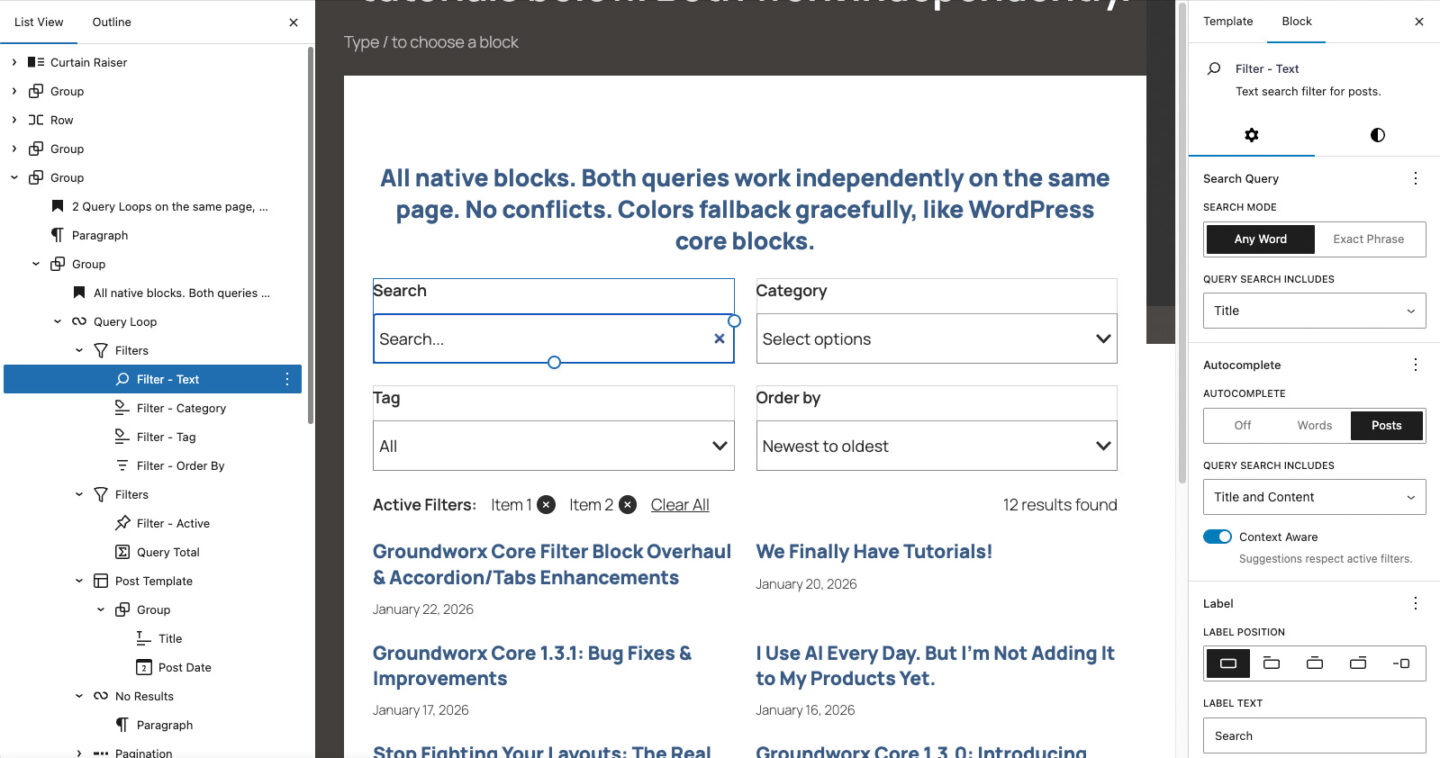
- New block: Global Search — site-wide search with inline suggestion results powered by the weighted search index
- New block: Global Search Dropdown — site-wide search with suggestion dropdown
- New block: Search Input — search field with label and submit button for Global Search blocks
- New block: Autocomplete Dropdown — autocomplete suggestions panel for Global Search blocks
- New block: Suggested Searches — generates keyword phrases from post content, ranked by relevance
- New block: Search: Post Types — select post types for search suggestions
- New block: Search: Taxonomies — select taxonomies for search suggestions
- New block: Search: Profiles — select author roles for search suggestions
- New block: Suggested Links — container for suggested link results that navigate directly to matching content
- New block: Quick Links — container for pre-configured links displayed before the user starts typing
- New block: Link — a single quick link with URL and label
Search Index
- Custom search index with weighted relevance scoring across title, excerpt, taxonomy terms, and content
- Proximity-aware ranking: exact phrase matching, nearby word boosting, and distant match filtering
- Dictionary with stemming and synonym support for improved recall
- Automatic index updates on post create, edit, and delete
- Per-post search exclusion and relevance boost controls via Quick Edit and Bulk Edit
Per-Post Search Controls
- Search boost column in post list tables — adjust individual post relevance from Quick Edit and Bulk Edit
- Exclude from Global Search option per post via Quick Edit and Bulk Edit
Enhancements
- PHP 7.4+ support (previously required PHP 8.2)
- Filter Text and Filter Orderby blocks updated to work with the search index and relevance settings
- Custom select dropdown display option for Filter Terms
- Internationalization: full i18n support with translatable strings across all PHP and JS
Breaking Changes
- Filter Text: Autocomplete modes renamed — “Words” is now “Suggested Searches” and “Posts” is now “Suggested Links”. Existing blocks with autocomplete enabled will need to be re-selected in the block settings.
- Filter Text: Search columns — The “Include Content” toggle has been replaced with a multi-select Search Columns control (title, content, excerpt). Existing blocks default to searching all three columns.
- Filter Text: Search mode removed — The keyword/phrase search mode toggle has been removed in favor of the global search index settings.
1.2.0
New Features
- Filter Text: Autocomplete with two modes — Words (bigram-aware word completion) and Posts (matching post titles as clickable links)
- Filter Text: Phrase search mode for exact phrase matching
- Filter Text: Context-aware autocomplete that respects active taxonomy and meta filters
- Filter Text: Autocomplete includes content toggle — match words from post content in addition to titles
Enhancements
- Filter Text: Reorganized editor sidebar into three panels — Search Query, Autocomplete, and Label
- Filter Text: Search clear (×) now always navigates to remove the search param instead of relying on empty-submit
- Filter Woo Price: Price tier radio list now supports all layout modes (inline, stacked, custom-select, responsive dropdown)
- Filters: Removed auto-search-while-typing behavior — search now requires explicit Enter or Submit
Accessibility
- Filter Text: Full WAI-ARIA combobox pattern for autocomplete (role, aria-expanded, aria-controls, aria-activedescendant, aria-autocomplete, live region announcements)
- Filter Text: Proper label-input association via
<label for>and unique IDs - Filter Terms: Added
aria-labelto native select elements - Filter Orderby: Added
aria-labelto native select element - Filter Woo Price: Added
aria-labelto range slider inputs and tier select - Filter Woo Rating: Added
aria-labelto native select element - Filter Woo Stock: Added
aria-labelto native select element - All blocks: Ensured unique HTML IDs when multiple Query Loops with filters appear on the same page
Bug Fixes
- Filter Active: Now recognizes all search key variants (keyword, phrase, extended content)
- Filter Text: Fixed autocomplete DOM elements not cleaning up during enhanced pagination morphs
- Autocomplete REST endpoint: Added null safety for posts with empty titles
1.1.1
- Updated Filter Woo Stock block icon
1.1.0
- New Block: Filter Active — displays currently applied filters as removable pills with customizable label, layout, and “Clear All” link
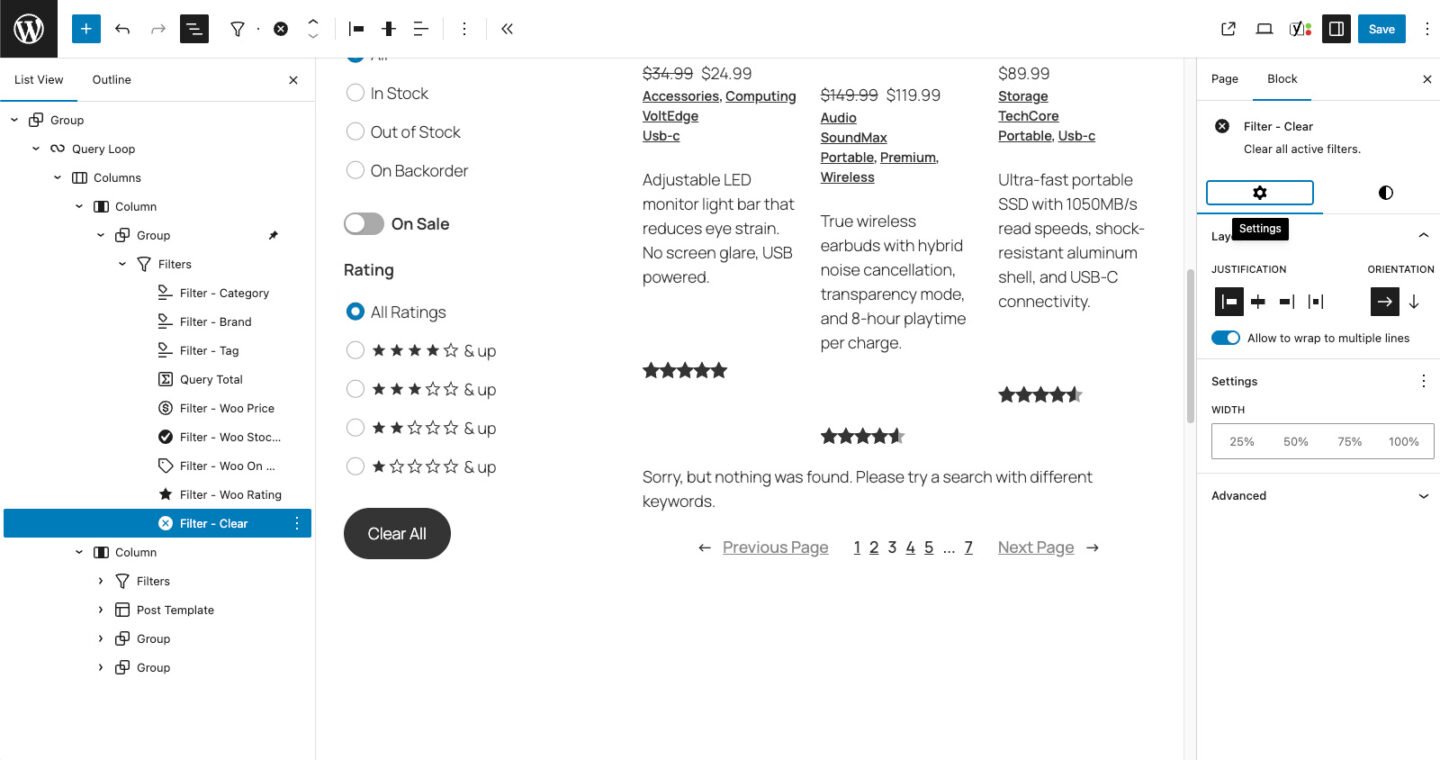
- New Block: Filter Clear — dedicated clear-all button with full border, typography, and spacing support
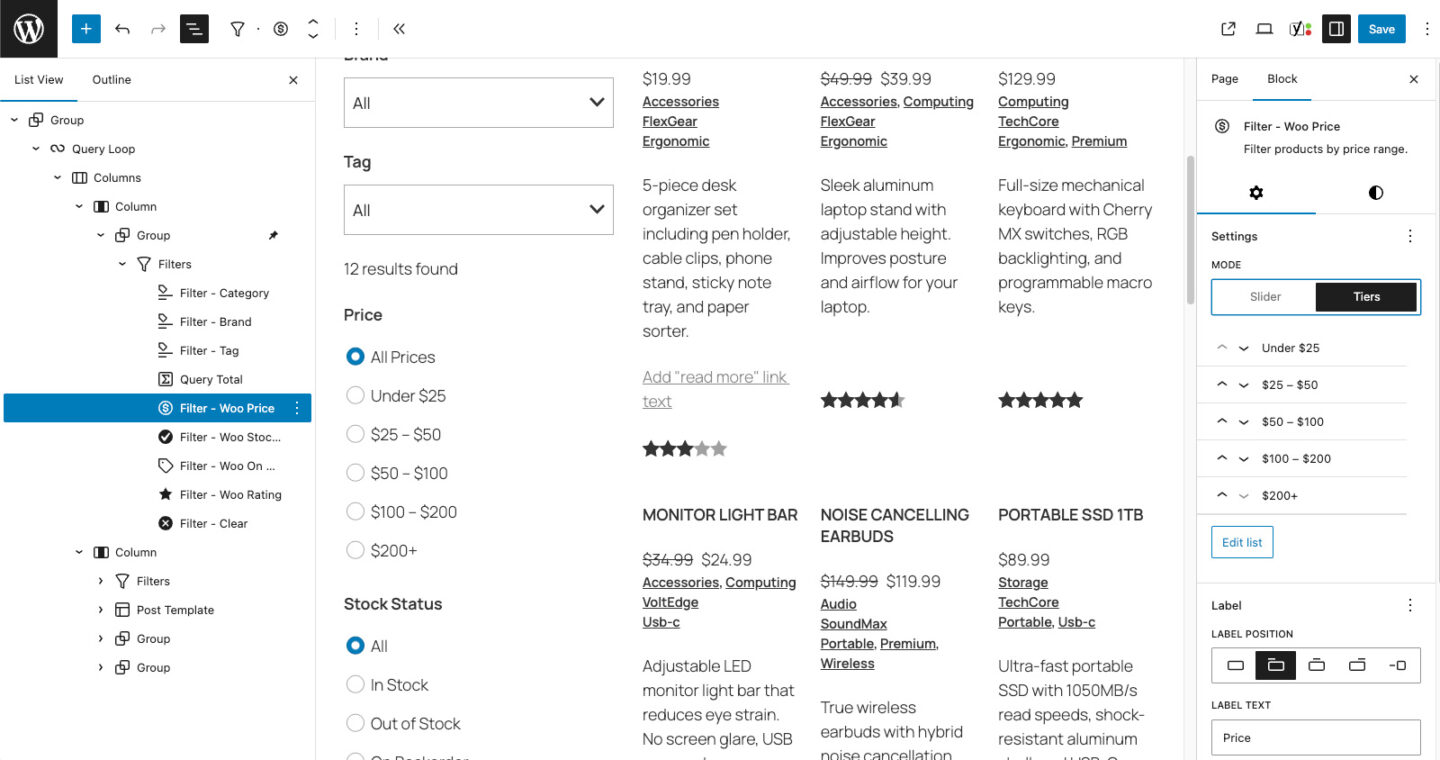
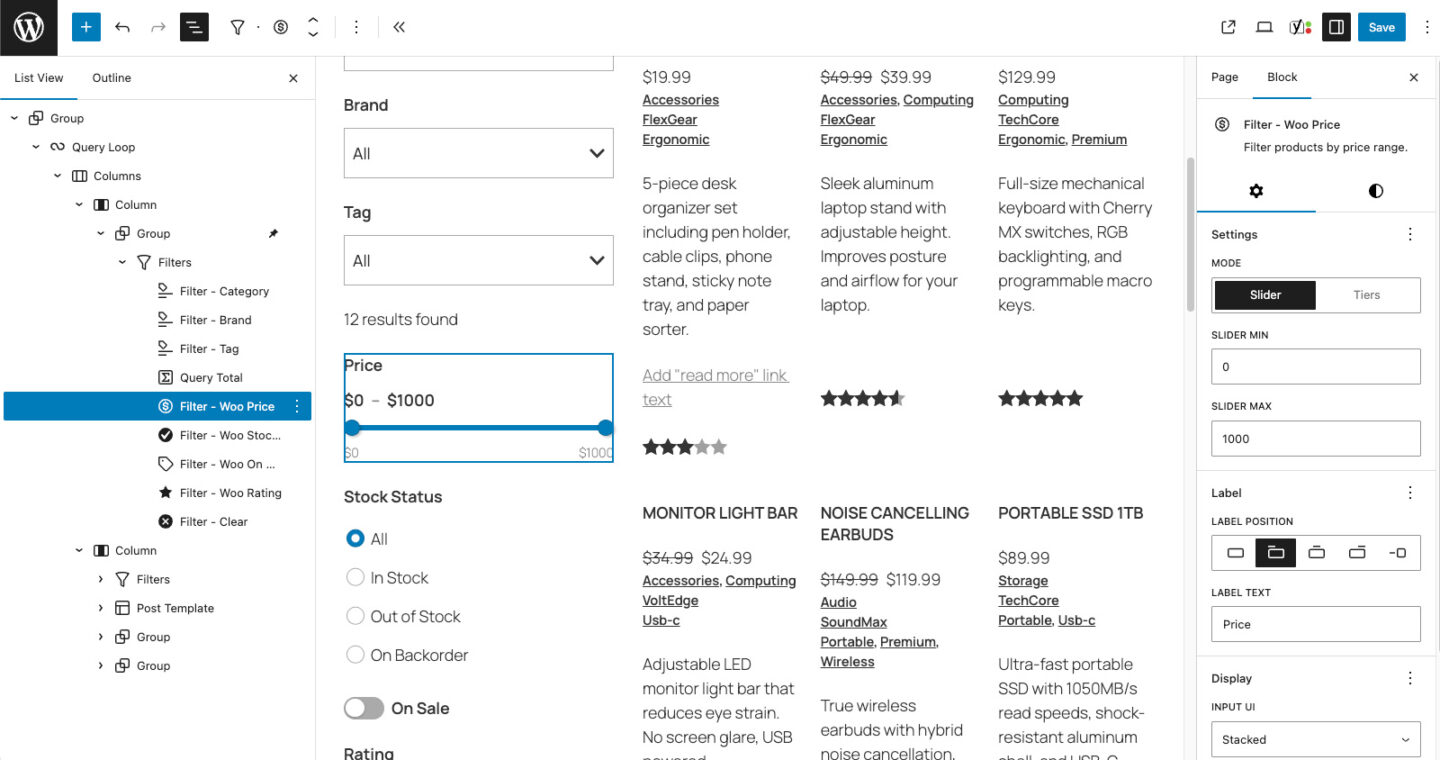
- New Block: Filter WooCommerce Price — slider and price tiers modes with custom select/dropdown layouts
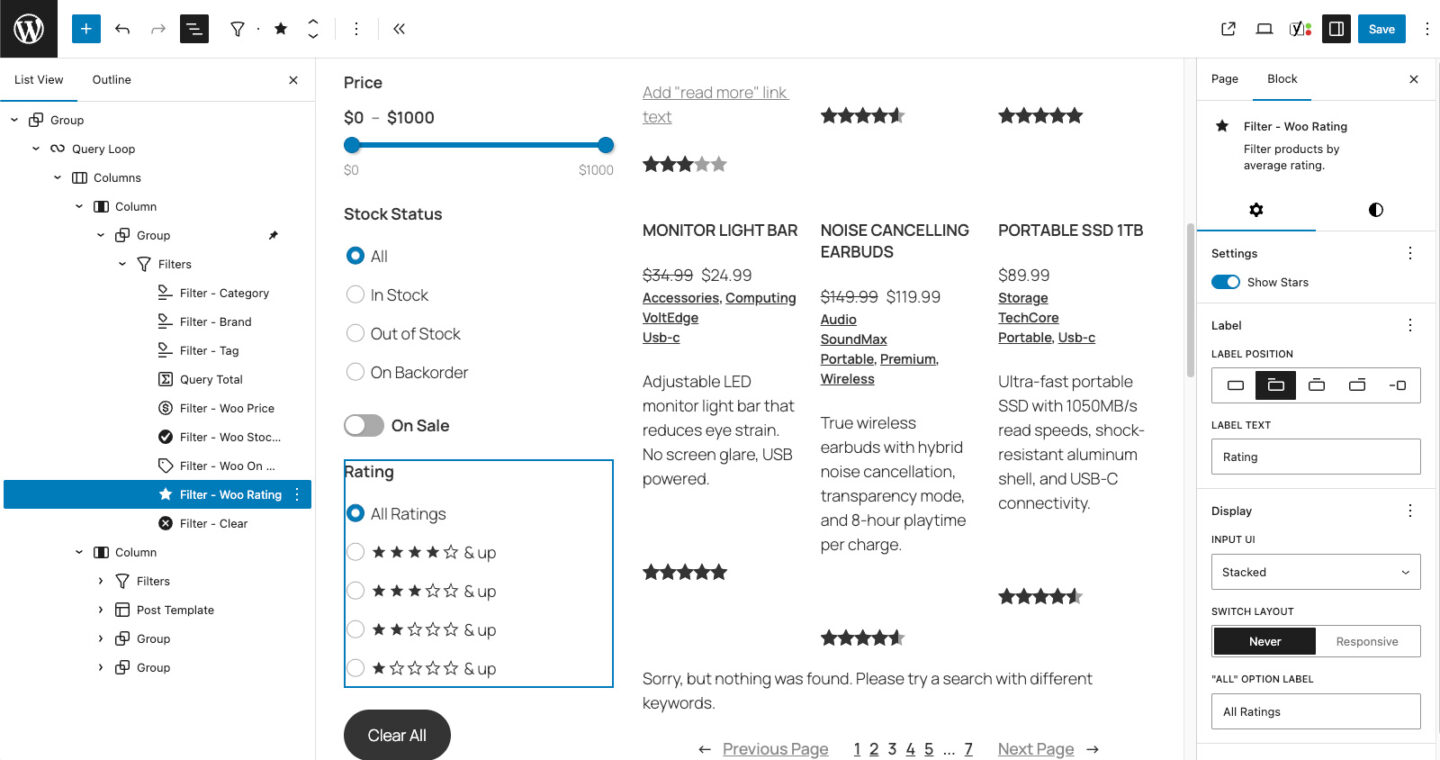
- New Block: Filter WooCommerce Rating — star rating filter with configurable display and “Show Stars” toggle
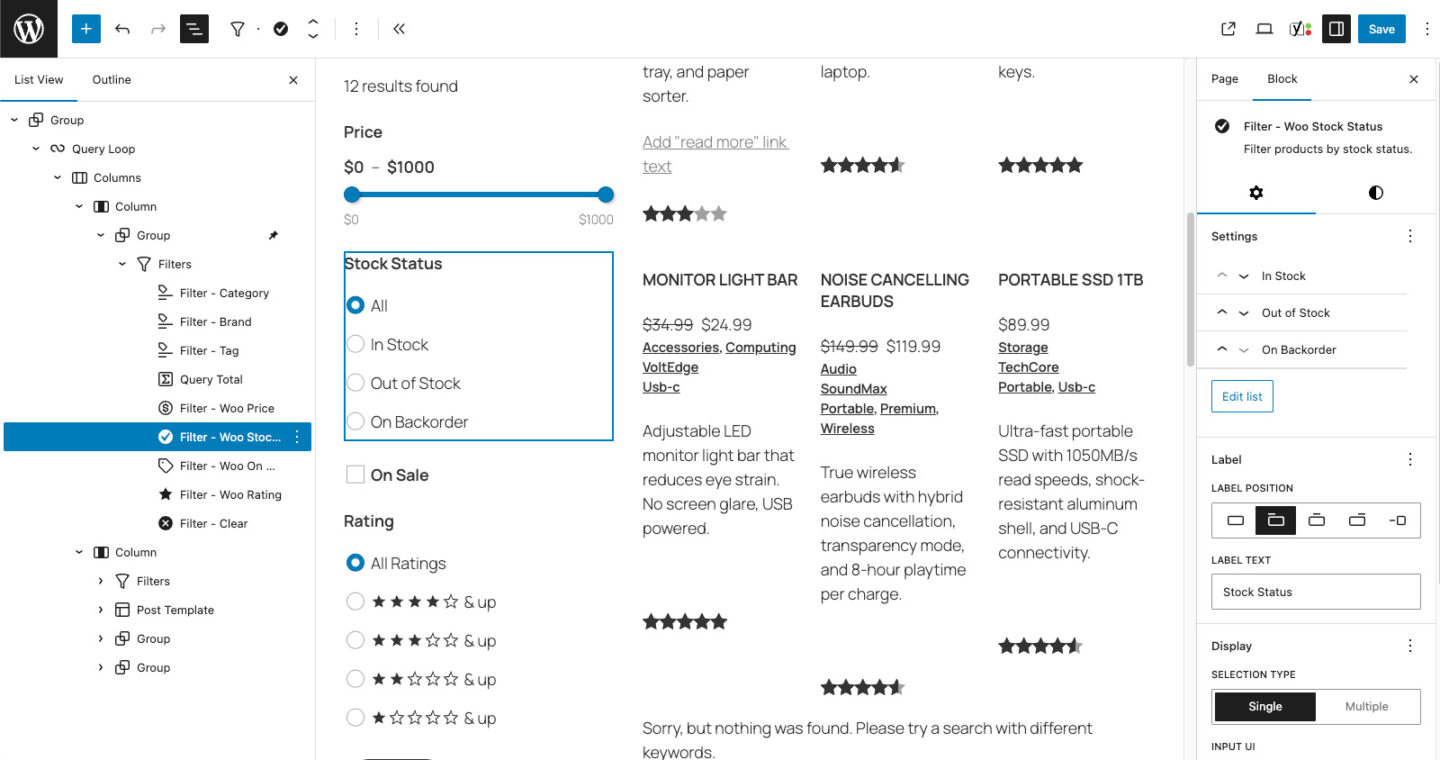
- New Block: Filter WooCommerce Stock Status — filter by stock status with single/multiple selection and customizable options
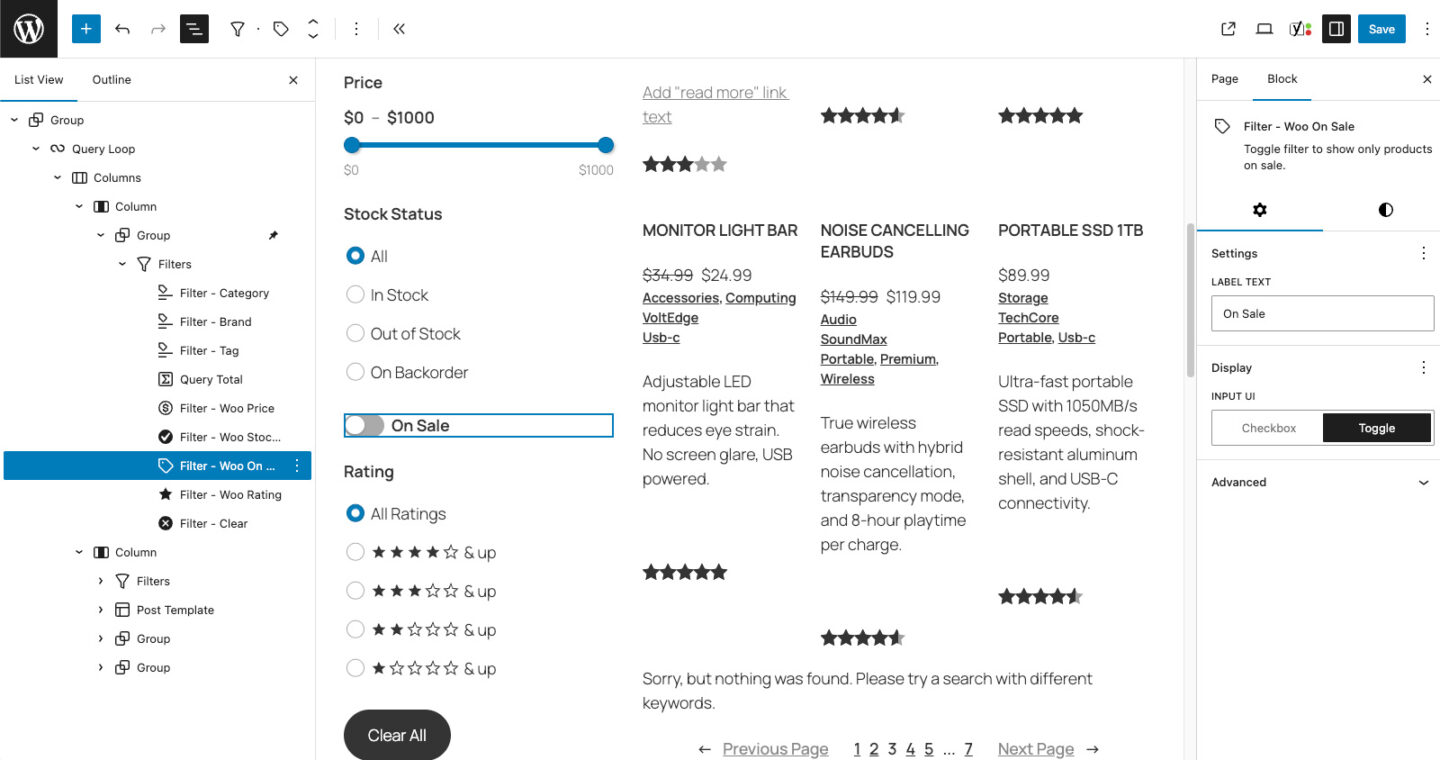
- New Block: Filter WooCommerce On Sale — checkbox or toggle to filter sale items
- Filter Submit: Added full border, typography, shadow, and spacing block support
- Filter Clear: Added full border, typography, shadow, and spacing block support
- Rating Stars: Stars now inherit text color via
currentColorfor better theme compatibility - i18n: Fixed textdomain to
groundworx-query-filtersacross all blocks and PHP files - Updater: Fixed PHP warning for undefined
stdClass::$versionproperty in plugin details modal
1.0.3
- Filter Terms: Fixed filtering on taxonomy archive pages switching the queried object/template/title to the filter taxonomy instead of the archive taxonomy
- Filter Terms: Renamed URL params for custom taxonomies to
{taxonomy}_name/{taxonomy}_idto avoid collisions with WordPress registered query vars - Filter Terms: Switched custom taxonomy filtering in inherit mode to use
tax_queryinstead of setting individual taxonomy query vars - Filter Terms: Added queried object preservation on taxonomy archives to prevent
get_queried_object()from re-resolving to filter taxonomy
1.0.2
- Filter Terms: Fixed taxonomy dropdown on taxonomy archive templates (
taxonomy-{slug}) not showing taxonomies registered only on custom post types - Filter Terms: Taxonomy dropdown now detects the archive taxonomy’s post types and shows all taxonomies that share those post types
1.0.1
- Filter Orderby: Added
groundworx/filter_orderby_options-{post_type}filter for registering custom sort options via PHP (supports meta fields, multiple sort fields, and callbacks) - Filter Orderby: Auto-fix Query Loop’s orderBy when switching to a post type that doesn’t support the current sort (e.g., resets
menu_ordertodatefor posts) - Filter Orderby: Fixed defaultOrderBy reset logic to validate independently when post type changes
1.0.0
- Initial release
- Filters container with Query Loop connection
- Filter Terms, Filter Text, Filter Orderby, Filter Submit, and Filter Active blocks
- Multiple display styles and auto-apply support