Dynamic Flow is the most powerful feature in Groundworx Core—a query-powered carousel that automatically displays your posts, products, or any custom post type.
Unlike static carousels where you manually add each slide, Dynamic Flow pulls content dynamically from your database. It works similar to the WordPress Query Loop block—but displays your content in a carousel instead of a grid or list. Add new posts, and they automatically appear.
Why Dynamic Flow?
The Problem with Static Carousels: Traditional carousels require you to manually add each slide. When you publish new content, you have to remember to update the carousel.
The Dynamic Flow Solution: Dynamic Flow connects to your WordPress query system. Define what content you want, and the carousel automatically stays current.
Adding a Dynamic Flow Block
- Edit a page or create a new one
- Click + to add a block
- Search for “Dynamic Flow”
- Insert the block
Dynamic Flow Settings
Orientation – Horizontal (default) or vertical scrolling
Direction – Left-to-right or right-to-left for RTL language support
Flow Template Settings
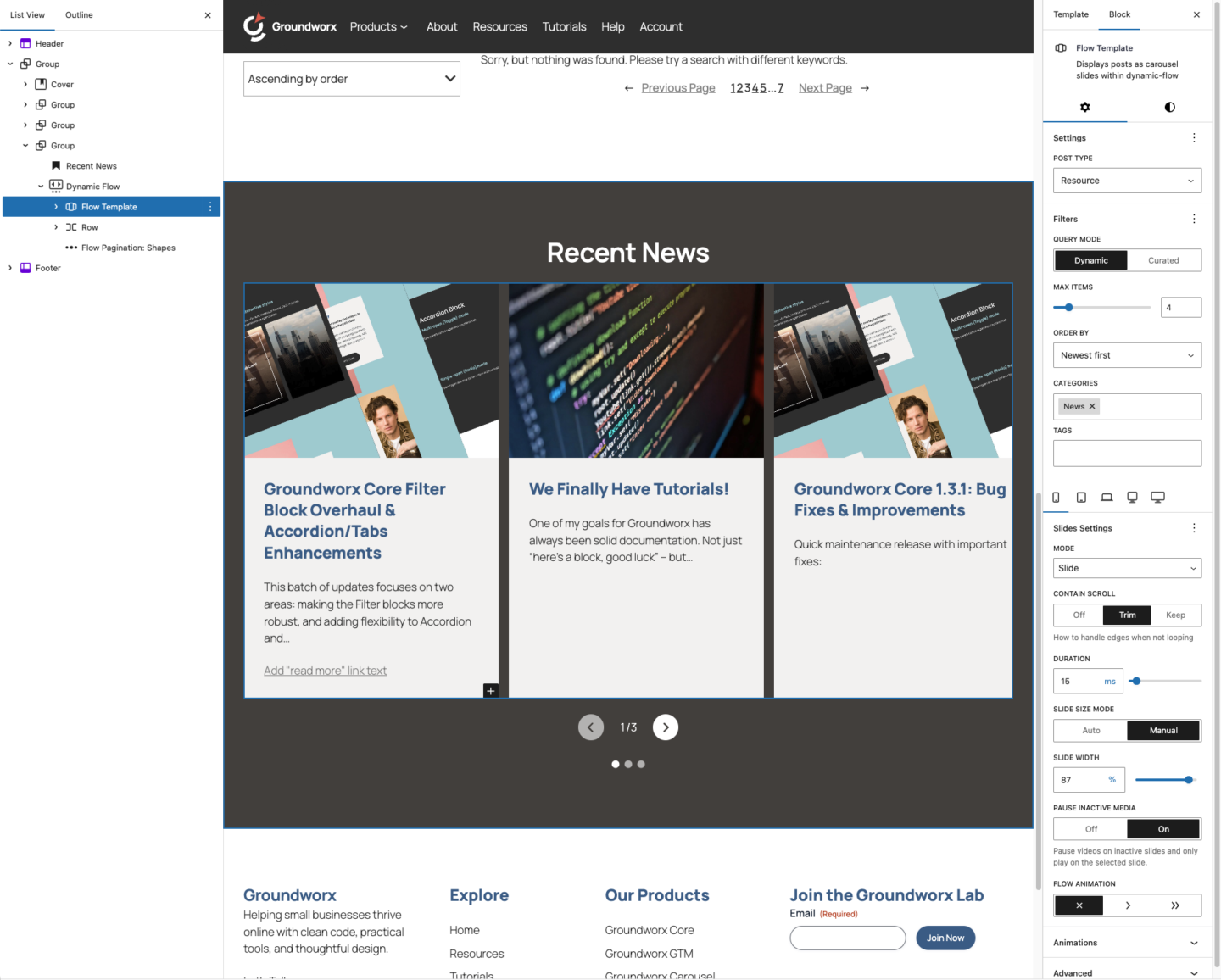
Configuring Your Query Settings
Dynamic Flow supports two query modes:
Dynamic Mode – Automatically pulls content based on your filters. New posts appear automatically.
Curated Mode – Hand-pick specific posts and arrange them in your preferred order.
First, select your Post Type—Posts, Pages, Products (WooCommerce), or any custom post type registered on your site. Then choose your Query Mode: Dynamic or Curated.
Carousel Settings
Choose your carousel Mode: Slide, Loop, or Fade. Available at default (mobile) all other breakpoint:
Available only other breakpoint than default:
Responsive Breakpoints
Settings use a mobile-first approach with 5 breakpoints. Settings cascade upward, a value set at Mobile applies to all larger screens unless overridden.
Each breakpoint tab lets you customize:
- Mode (Slide, Loop, Fade, Flex, Grid)
- Slides to Show / Columns
- Slides to Scroll
- Duration
- Flow Animation
- And mode-specific settings
Use “Inherit” to keep the value from the previous breakpoint.
Example: Show 1 slide on mobile, 2 on tablet, 3 on laptop, then switch to Grid mode on desktop.
Child Blocks
Dynamic Flow uses child blocks to build your carousel. You can mix these with any WordPress blocks.
Flow Template
The template block defines what each slide looks like. Design it once, and it applies to all query results.
Inside Flow Template, you can add any WordPress blocks:
- Heading, Paragraph, Image
- Buttons, Groups, Columns
- Your theme’s blocks
- Other Groundworx blocks like Card or Media Card
Navigation Blocks
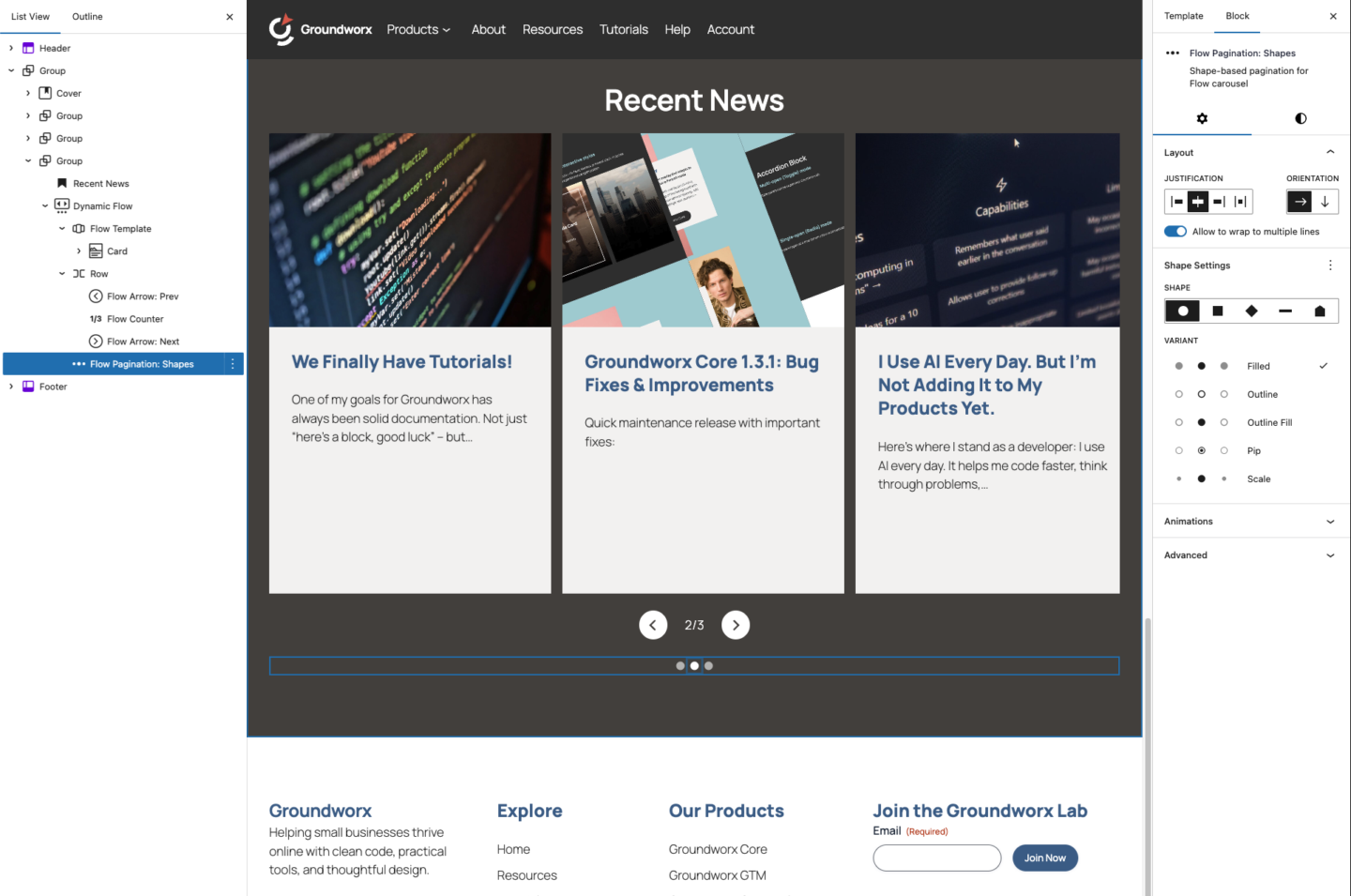
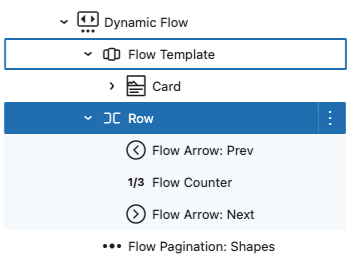
Add these inside Dynamic Flow or Static Flow to control how users navigate:
Mixing with WordPress Blocks
Navigation blocks can be placed anywhere inside Dynamic Flow or Static flow—above, below, or beside the slides. Wrap them in Groups or Columns for custom layouts.
Example: Place arrows on the left and right edges using a Columns block, with dot pagination centered below.
Example Use Cases
Blog Featured Posts: Display your 5 most recent posts from a “Featured” category on your homepage.
Product Showcase: Show WooCommerce products from a specific category with automatic updates when you add new products.
Team Members: Create a custom post type for team members and display them in a carousel on your About page.
Testimonials: Pull from a testimonials post type, ordered randomly to show different reviews each visit.
Optional: Customize with theme.json
This is optional—Dynamic Flow works great with default styling.
Dynamic Flow inherits your theme’s styles automatically. If you want to customize the look of carousel buttons and pagination, you can use theme.json.
Global button styles affect arrow buttons and pagination:
{
  "styles": {
    "elements": {
      "button": {
        "color": {
          "background": "var(--wp--preset--color--primary)",
          "text": "var(--wp--preset--color--white)"
        },
        "border": {
          "radius": "4px"
        }
      }
    }
  }
}
Block-level styles let you target only Dynamic Flow:
{
  "styles": {
    "blocks": {
      "groundworx/dynamic-flow": {
        "elements": {
          "button": {
            "color": {
              "background": "var(--wp--preset--color--secondary)"
            },
            "border": {
              "radius": "50%"
            }
          }
        }
      }
    }
  }
}
Next Steps
- Experiment with different query configurations
- Try combining Dynamic Flow with other Groundworx blocks
- Check how the carousel responds on mobile devices