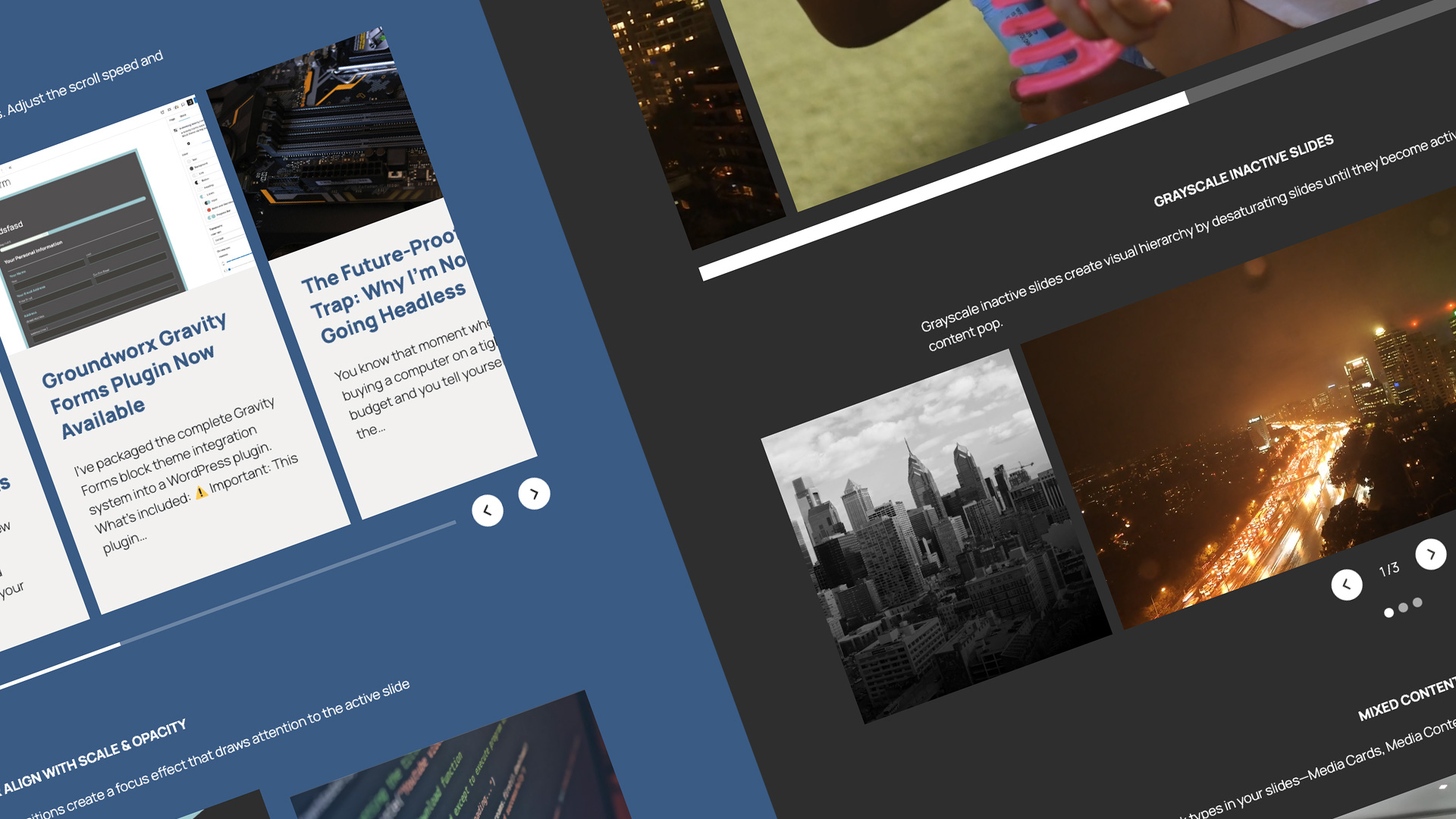
This is the biggest architectural change since launch.
The entire carousel frontend runs on the WordPress Interactivity API. Every interaction, every breakpoint switch, every slide transition goes through WordPress core’s reactive state system. Embla Carousel handles the mechanics underneath. The Interactivity API handles everything between Embla and WordPress.
Built on the WordPress Interactivity API
Showcase is 12 blocks — carousel containers, slide blocks, navigation arrows, pagination dots, numbered pagination, counters, progress bars. They all need to know what the carousel is doing, and they all need to stay in sync regardless of where they sit in the layout.
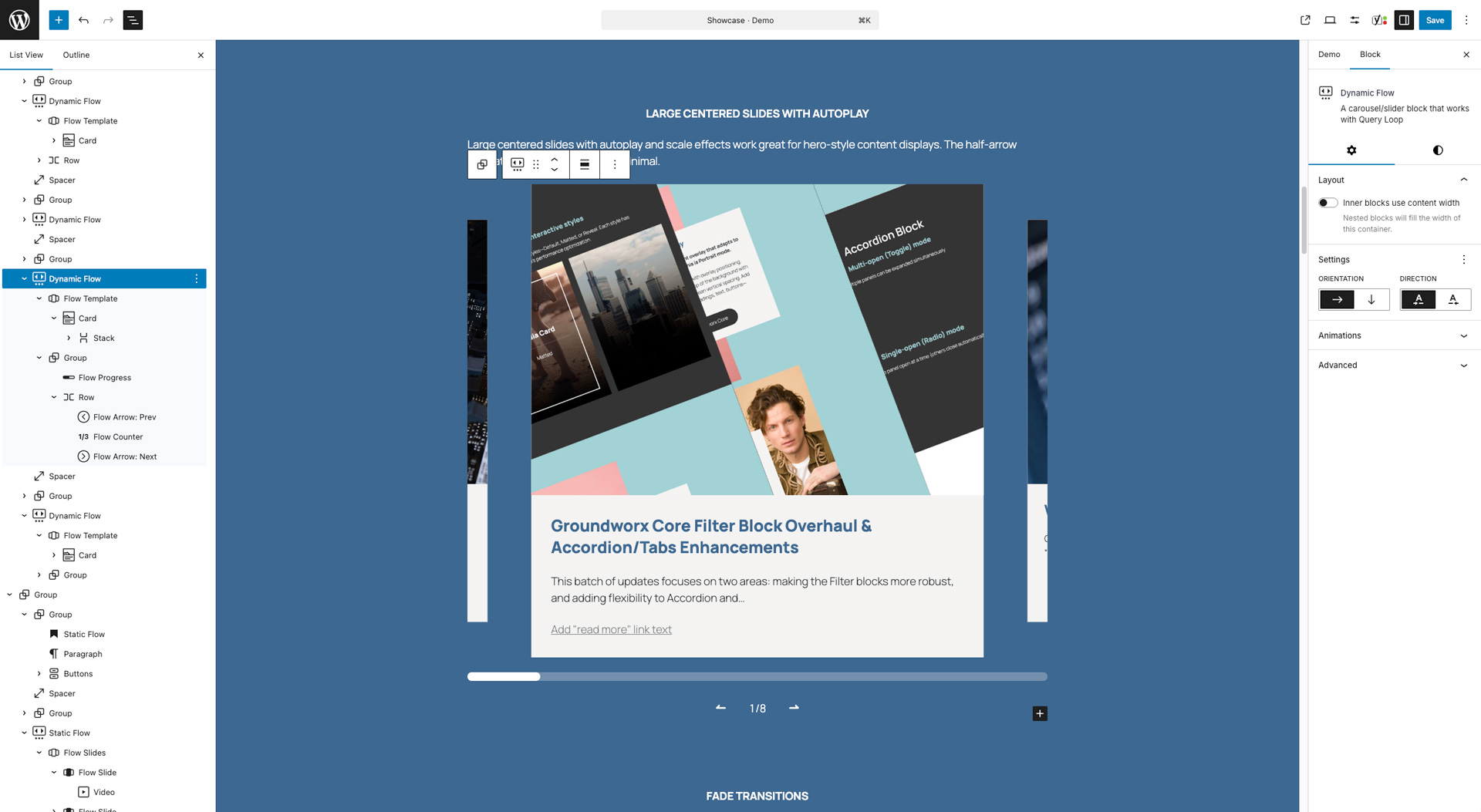
The Interactivity API makes this possible through a shared reactive store. The carousel writes its state — active slide index, total slides, current breakpoint mode — and every connected block reads from the same source. Arrows, dots, counters, progress bars, numbered pagination can live anywhere — inside the carousel container, outside it, in a sidebar, in a separate column — and they stay in sync because they subscribe to the same store. Not because they’re wired together manually. Not because they query the DOM. Because they read from one source of truth.
Static Flow, Dynamic Flow, Dynamic Content, and every navigation and pagination block all share this store. The PHP renders different markup per block type, but the frontend behavior is unified. One reactive system powering all 12 blocks.
This is what WordPress core is building toward. Showcase follows the same patterns that WordPress’s own interactive blocks use.
Reactive CSS and the Rendering Pipeline
Slide size, gap, column count, and fade mode class toggling are bound through data-wp-style directives. When the viewport crosses a breakpoint threshold, the store updates the relevant CSS custom properties. The browser repaints only what changed. No full re-render, no layout thrash, no tearing down and rebuilding the DOM.
Slide effects — scale, opacity, and grayscale on inactive slides — work the same way. The active slide renders at full scale and opacity. Inactive slides receive their effect values through reactive bindings that update as the user navigates. The JavaScript layer updates the values. The browser’s compositing pipeline handles the visual transitions. Each layer does what it’s optimized for.
Designed for theme.json
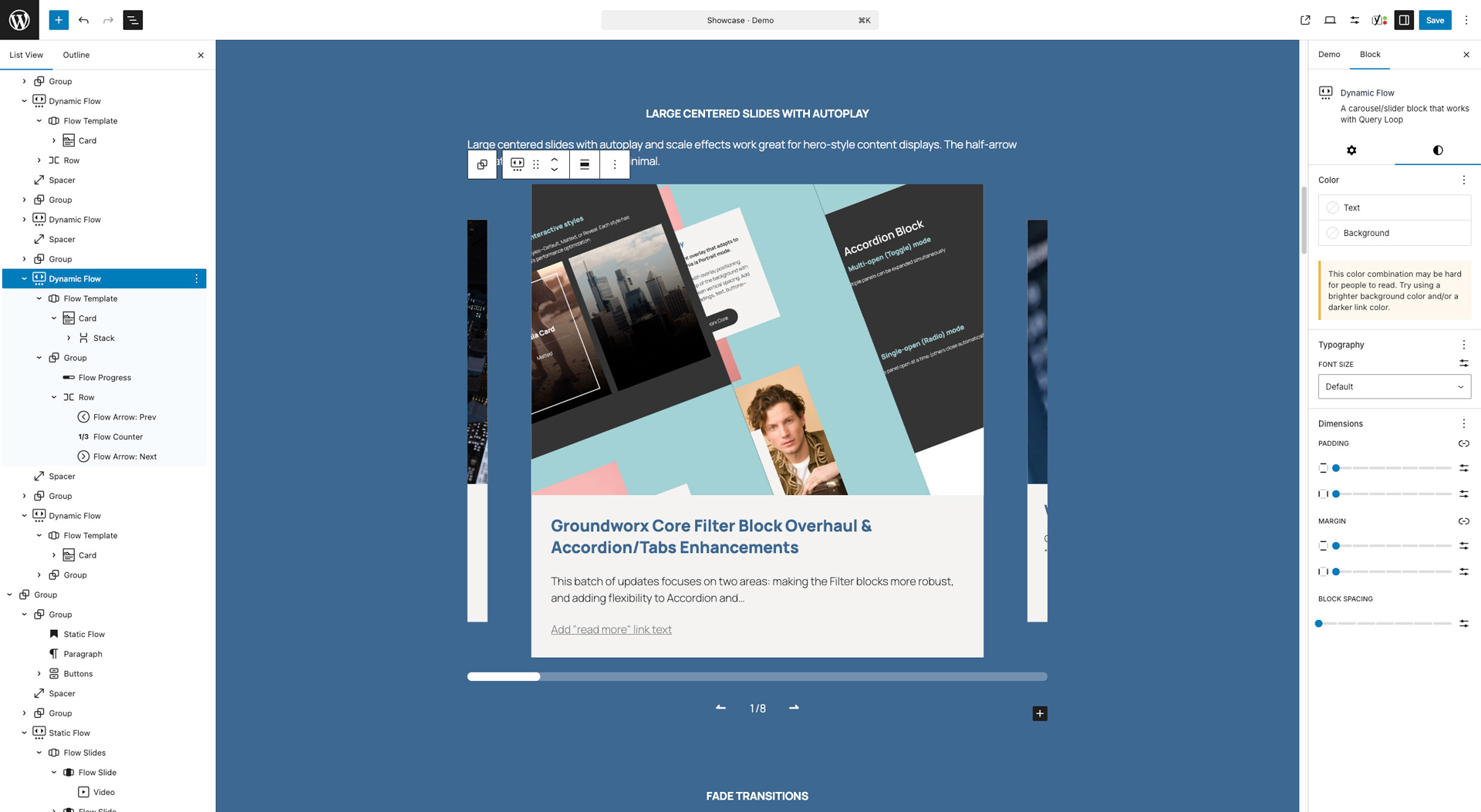
Showcase is built to work with your theme, not around it. Every block respects theme.json out of the box — your theme’s color palette, font families, font sizes, and spacing presets are available directly in the block settings. No CSS overrides. No fighting specificity. Your carousel looks like it belongs on your site because it pulls from the same design tokens everything else uses.
Color controls go deep. Arrows, pagination dots (active and inactive states), progress bars, counters, slide backgrounds — each has its own color settings with full access to your theme palette and custom color pickers. Spacing controls follow the same pattern, using your theme’s spacing scale for gaps, padding, and margins so everything stays consistent with the rest of your layout.
Font controls are available where text is involved — counters, numbered pagination — with access to your theme’s registered font families and sizes. No inline font stacks, no hardcoded pixel values. Everything flows from theme.json.
This matters for agencies and developers shipping client sites. The carousel inherits the design system. When the client updates their theme colors or swaps a font, the carousel updates with it. No maintenance, no manual syncing, no “the carousel still uses the old brand colors” six months later.
Breakpoint-Responsive Mode Switching
Most carousel plugins give you responsive controls over how many slides to show. Showcase gives you control over whether you’re running a carousel at all.
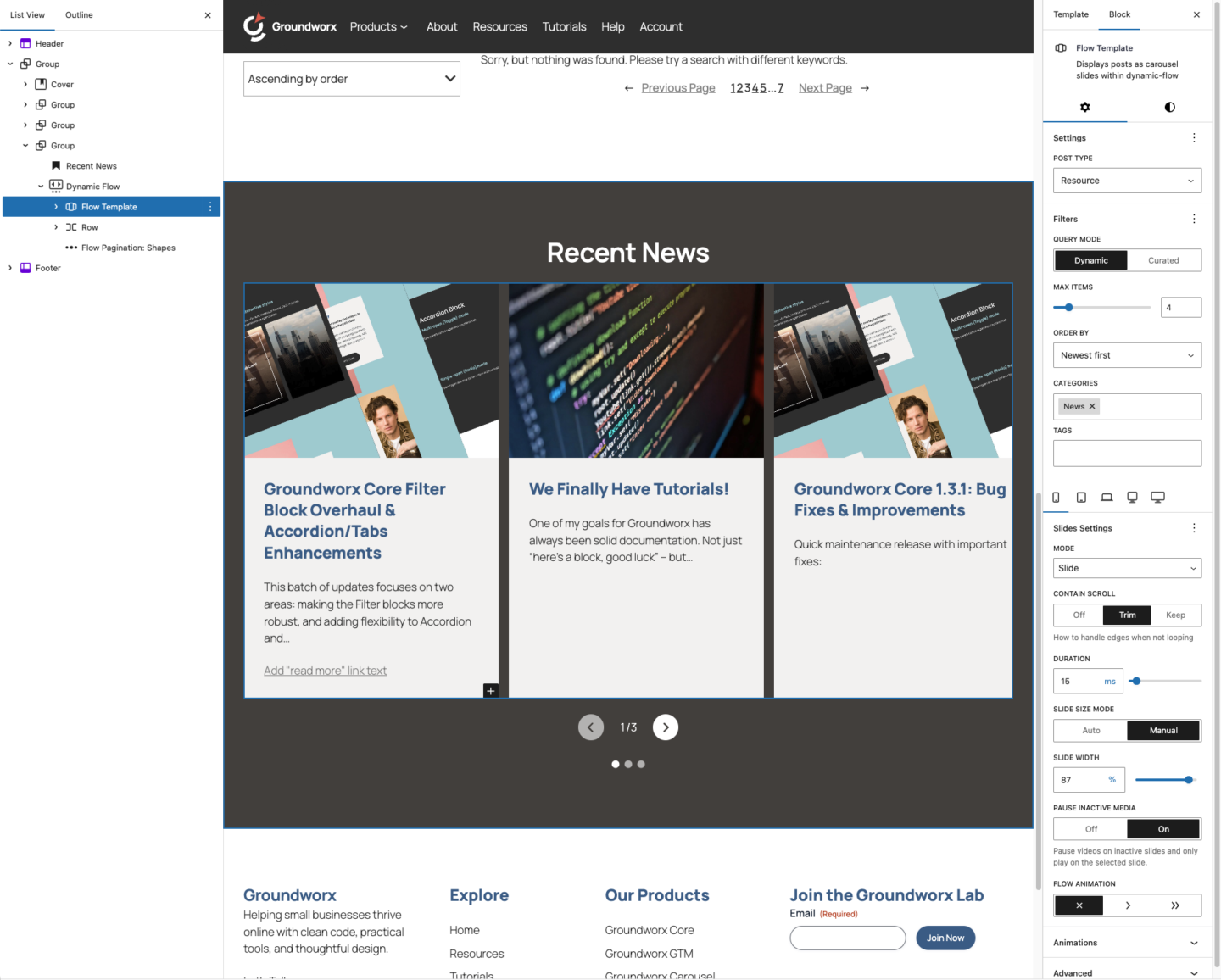
At each breakpoint, you choose a display mode independently: slide, loop, fade, grid, or flex. The Interactivity API evaluates the current mode at every breakpoint threshold and takes one of two paths:
Carousel mode (slide, loop, fade): Embla initializes with the correct configuration. Slide mode gets standard navigation. Loop mode gets infinite scrolling. Fade mode gets crossfade transitions with the appropriate class toggling.
Layout mode (grid, flex): The Embla instance is destroyed entirely. No carousel JavaScript runs. The layout switches to pure CSS grid or flexbox. Navigation and pagination blocks become inert because there’s nothing to navigate.
This isn’t a CSS media query hiding a carousel. When the mode switches to grid, the carousel engine is gone. When it switches back, Embla reinitializes with the correct options. The Interactivity API manages the entire lifecycle.
A testimonial section that fades on desktop can slide on mobile and stack as a grid on tablet. Each breakpoint is its own decision.
Beyond the Carousel
Auto-play with pause on hover for timed slideshows. Auto-scroll for continuous smooth movement that never stops. Both configurable with speed and behavior controls in the editor.
Slide effects on inactive slides — scale, opacity, and saturation — draw attention to the active slide and let the rest fall back. Set the values in the editor and they apply in real time as users navigate.
Video slides pause automatically when they leave the active position and resume when they return. No extra configuration, no custom JavaScript.
Overflow control determines how the carousel handles slides beyond the visible area. Show them, clip them, or let them bleed into the surrounding layout. One setting, visible in the editor, no CSS required.
Query-Driven and Curated Content
Showcase connects directly to your posts, pages, products, or any custom post type. Set up a query, filter by category, tag, or taxonomy, and the carousel stays current as your content changes. Publish a new post, it’s in the carousel. Remove one, it’s gone. No manual slide management.
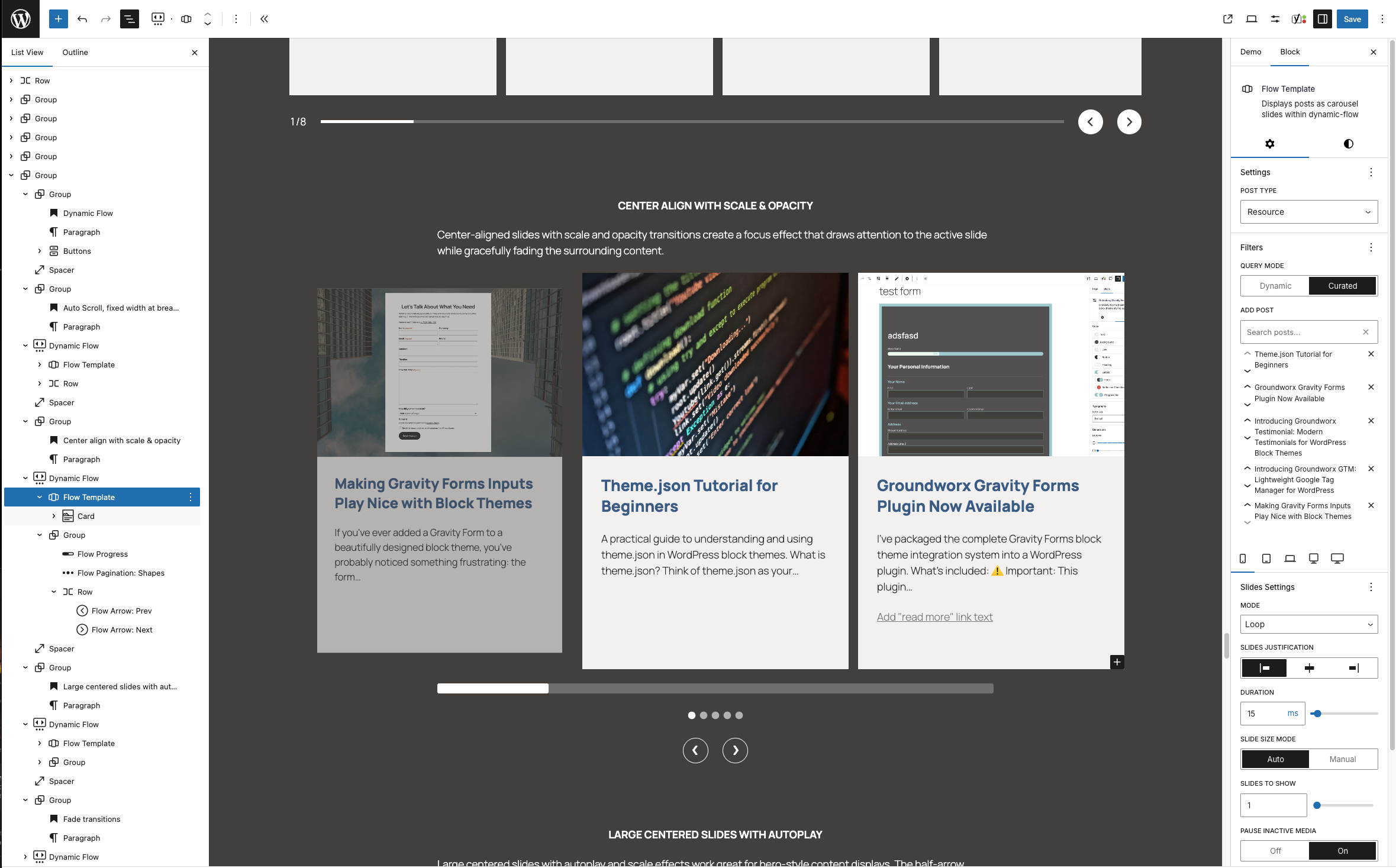
When automatic isn’t the right fit, curated mode lets you hand-pick specific posts in the exact order you want. Feature your best work, highlight key products, or build a custom selection that no query could produce. This is something the Query Loop block simply doesn’t support.
Both modes work across Dynamic Flow and Dynamic Content, with the same breakpoint controls, the same theme.json integration, and the same Interactivity API store powering the frontend.
Shared PHP Architecture
A shared helper file (inc/flow-helpers.php) handles rendering for both Static Flow and Dynamic Flow. Breakpoint option resolution, carousel wrapper attribute generation, responsive CSS custom property output, and Interactivity API directive injection all run through one set of helpers. Consistent output regardless of flow type.
Editor Improvements
Large-phone breakpoint. A new breakpoint at 480px across all blocks. The gap between a 320px phone and a 768px tablet is too wide for a single set of options. Six breakpoint levels — mobile, large-phone, tablet, laptop, desktop, and wide.
Add Slide toolbar button. Individual Flow Slide blocks have an “Add Slide” button in the toolbar that inserts a new slide immediately after the current one. No scrolling to the end of a long slide list, no hunting through the block inserter.
Cross-transforms. All pagination, counter, and progress blocks support cross-transforms. Dot pagination to numbered pagination. Progress bar to counter. Transform directly, no deleting and re-adding blocks.
Bug Fixes
Editor crash on slide duplication. Duplicating multiple Flow Slides at once could crash the editor through cascading context propagation. 2.0 debounces the propagation so bulk operations work cleanly.
Duration control display. The Duration control showed 15ms instead of Inherit on breakpoint tabs where no value was explicitly set. Fixed to show the correct inherited state.
For Developers
Key implementation details:
- Frontend initialization runs through
view-flow.jsvia the Interactivity API - All carousel state managed through
data-wp-interactivestores withdata-wp-styleanddata-wp-classdirectives - Shared PHP helpers in
inc/flow-helpers.phpfor both flow types - Dynamic Content
view.jsfollows the same store patterns as flow blocks
12 Composable Blocks
Carousel Blocks
- Dynamic Flow — Query-powered carousel. Connect to posts, pages, or custom post types. Design a template once, every queried item inherits the layout.
- Static Flow — Manual carousel for hand-built slides. Full block editing inside each slide.
- Dynamic Content — Query or curate specific posts in grid or flex layouts with full breakpoint control.
Slide Blocks
- Flow Template — Template for dynamic carousel slides. Design once, apply to all queried items.
- Flow Slides — Container for static carousel slides.
- Flow Slide — Individual slide with full inner block support.
Navigation Blocks
- Flow Arrow Prev — Previous slide navigation.
- Flow Arrow Next — Next slide navigation.
Pagination Blocks
- Flow Counter — Current/total slide display.
- Flow Pagination Shapes — Dot or shape-based indicators.
- Flow Pagination Numbers — Numeric pagination. Click to jump to any slide.
- Flow Progress — Progress bar showing carousel position.
Every block is styleable through theme.json and can be placed independently in any layout.
Requirements
- WordPress 6.5+
- PHP 8.2+
What’s Next
The Interactivity API migration sets the foundation for everything coming after 2.0. The reactive store, the shared architecture, the composable block pattern — these are the infrastructure for what Showcase becomes next.